Traditional keyword search (even with Elasticsearch) often fails when users search by intent rather than exact product names. A customer searches for “red prom dress”, but the database lists it as “Women’s evening maxi dress, color: burgundy”.
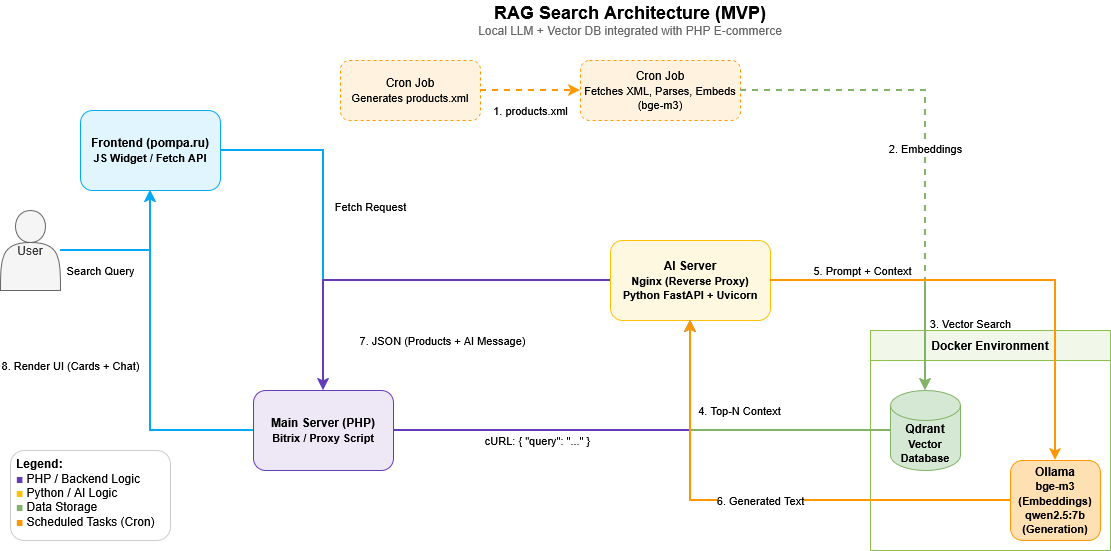
A high-level overview of the hybrid architecture. It clearly separates the offline indexing pipeline (Cron, XML parsing, bge-m3 embedding generation) from the real-time search flow. Notice how PHP acts as a secure orchestrator and proxy, while Python (FastAPI + Ollama) handles the heavy ML lifting. All AI components are neatly containerized via Docker.
Instead of relying on expensive external LLM APIs and risking data privacy, I designed and deployed a local RAG (Retrieval-Augmented Generation) system for an e-commerce platform.
The result? True semantic search, an AI chat assistant, and zero external API costs.
Here is the architecture and tech stack behind this MVP.
The Tech Stack
The system is built on a microservices approach, seamlessly integrated into the existing PHP infrastructure:
- AI & Vector: Ollama, Qdrant (Vector Database)
- Models: bge-m3 (for embeddings, excellent multilingual support), qwen2.5:7b-instruct-q4_k_m (for response generation, quantized to optimize RAM usage without sacrificing quality).
- Backend: Python (FastAPI + Uvicorn) for AI logic, PHP for orchestration.
- Infrastructure: Docker, Nginx (as a reverse proxy).
How It Works (The Data Pipeline)
1. Indexing (Offline):
- A cron job on the main website (pompa.ru) generates an up-to-date XML file with the product catalog.
- A Python script on the AI server fetches this file, parses it, and uses the bge-m3 model to create vector embeddings of the product descriptions.
- The data is saved into a Qdrant database running in Docker.
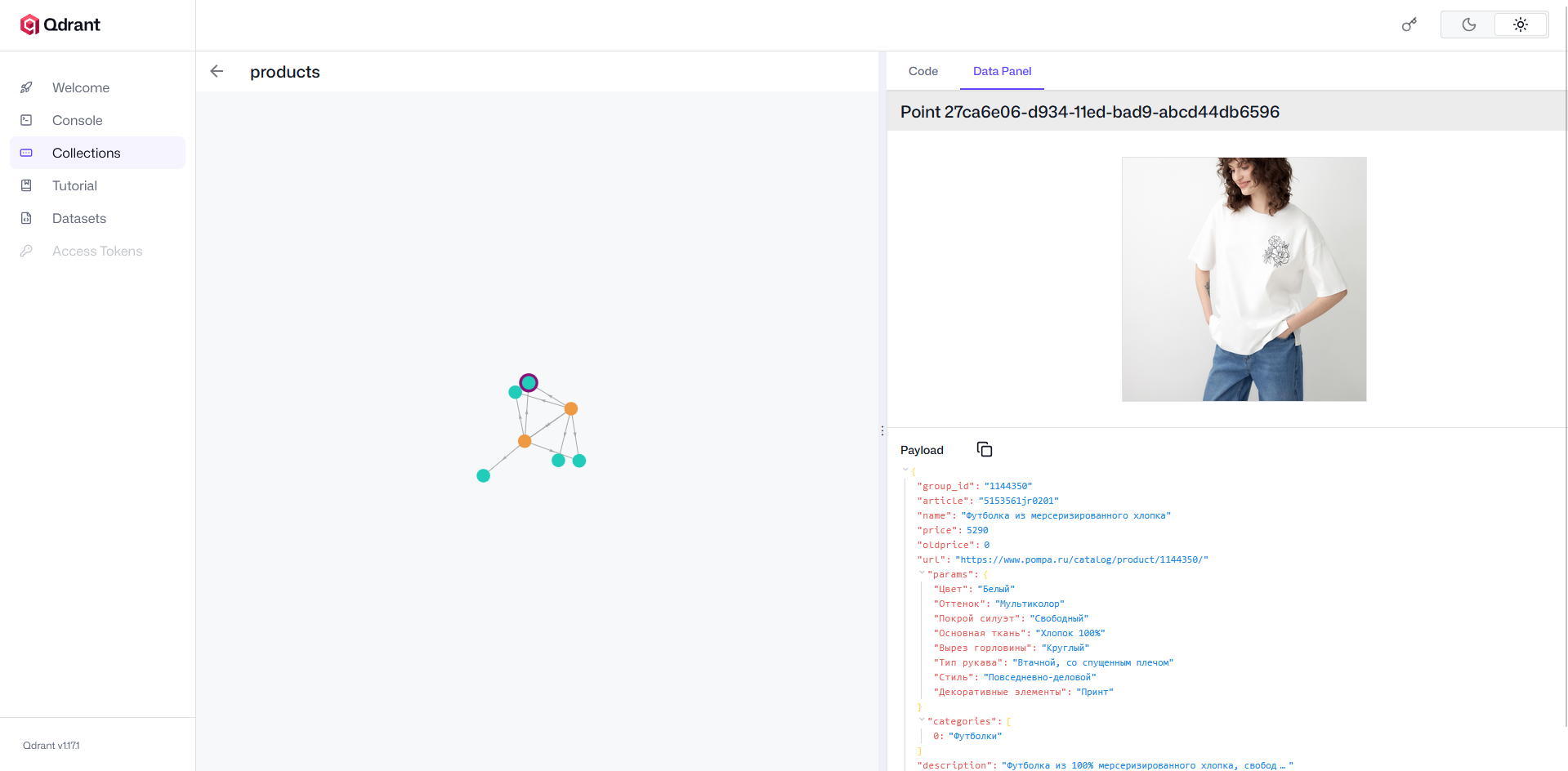
A glimpse into the Qdrant Web UI showing the successfully indexed product catalog. Storing high-dimensional embeddings locally ensures millisecond-level similarity searches. Crucially, it keeps all sensitive product data and user queries strictly within the company’s infrastructure, with zero third-party API exposure.
2. Request Handling (Real-time):
- The user types a query into a JS widget on the website.
- The frontend sends a fetch request to a PHP script, which acts as a secure proxy.
- PHP uses cURL to send a JSON payload {“query”: “…”} to the AI server, hidden behind Nginx.
3. Retrieval & Generation:
- FastAPI receives the request, vectorizes the query, and searches for the top-N most relevant products in Qdrant.
- The retrieved context is passed to qwen2.5:7b, which generates a human-readable, helpful response.
FastAPI receives the request… The retrieved context is passed to qwen2.5:7b…
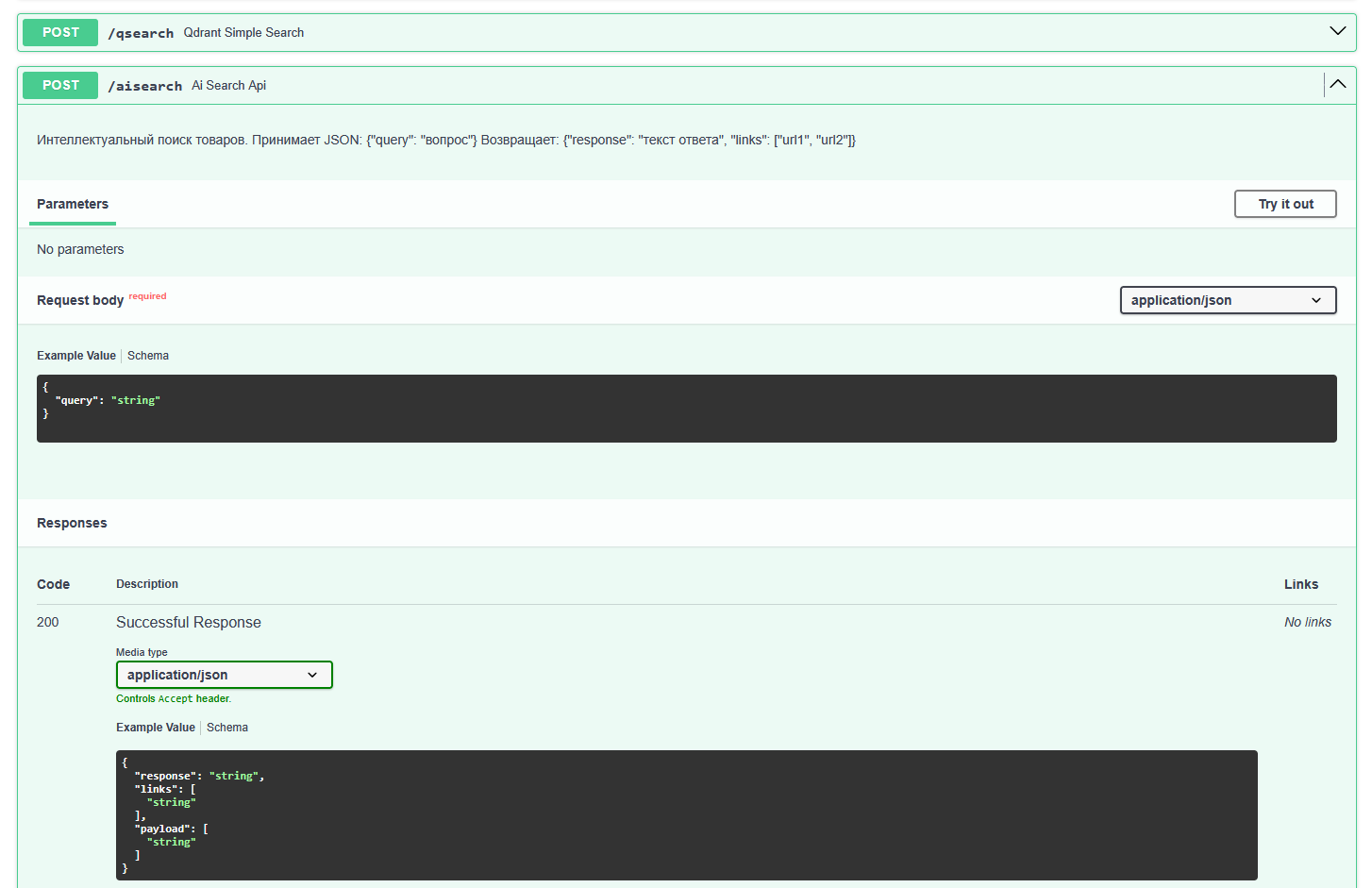
Clean, well-defined REST endpoints bridging the PHP monolith and the Python AI microservice. The PHP backend securely proxies user queries here via cURL, passing a simple JSON payload and receiving a structured response containing both product metadata and the LLM-generated text.
4. UI Rendering:
Two endpoints were implemented for maximum flexibility:
- Endpoint 1: Returns only a JSON array of matched products. JS renders standard product cards (a seamless drop-in replacement for the regular search).
- Endpoint 2: Returns the product array + an LLM-generated message, which is rendered in a chat interface alongside the products (acting as an AI shopping assistant).
Two endpoints were implemented for maximum flexibility:
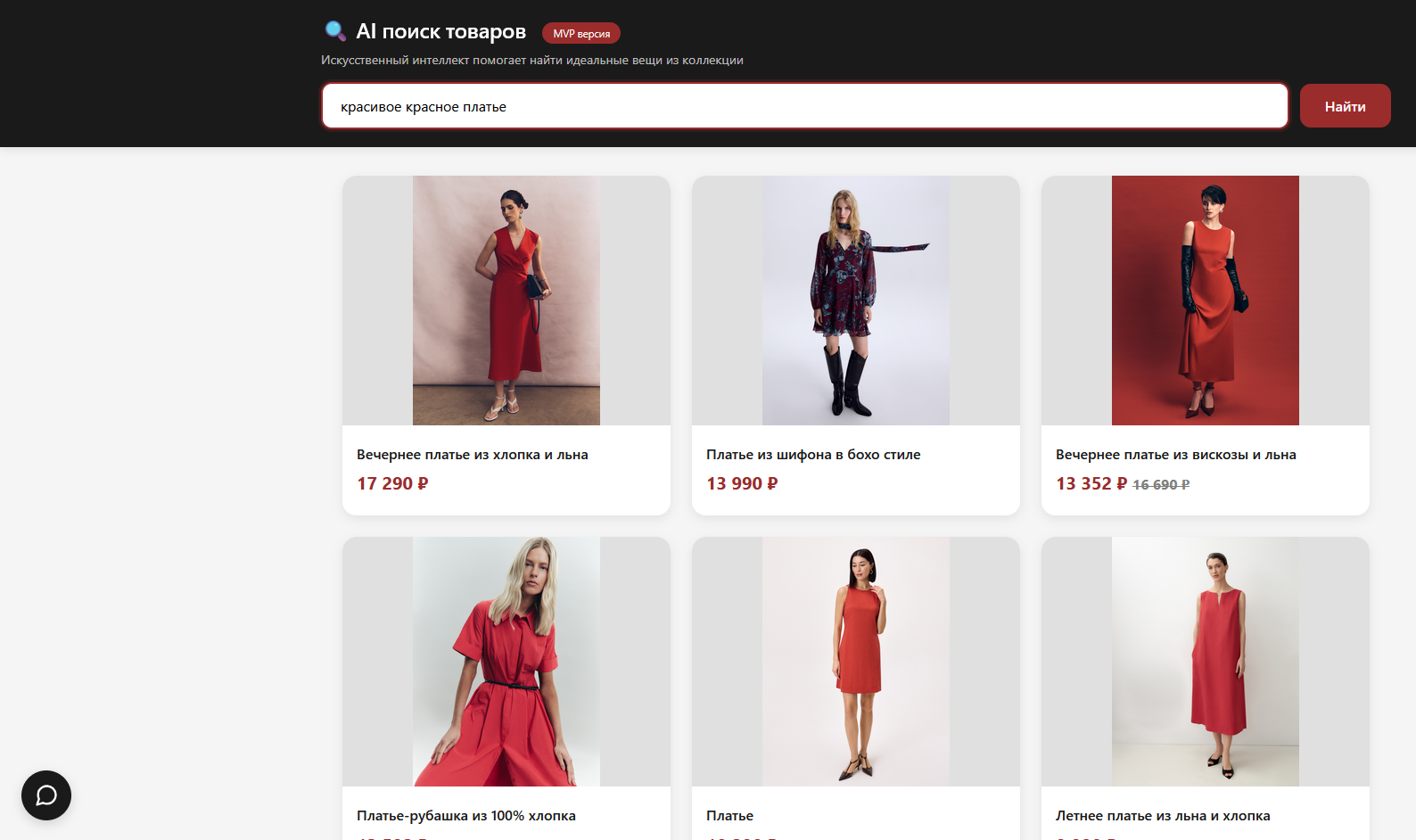
The search results page powered by RAG, but with a familiar UX. When users type a query into the standard search bar, the system performs semantic matching via Qdrant and renders only product cards (no chat interface). This is Endpoint 1 in action: zero learning curve for users, but vastly improved relevance compared to traditional keyword matching. The user gets exactly what they meant, not just what they typed.
Endpoint 2: Returns the product array + an LLM-generated message…

The enhanced experience: a floating chat widget where users can have a conversational dialogue with the LLM. This uses Endpoint 2, which returns both the AI-generated response and the relevant product cards. Notice how the chat window overlays the page while product results are simultaneously displayed below. Perfect for complex queries like ‘I need an outfit for a summer wedding’ — the AI provides styling advice while instantly showing purchasable items.
Why This Approach? (Key Insights)
- Local Models: Using q4_k_m quantization allowed us to run a 7-billion parameter model on accessible hardware, keeping latency well within acceptable limits for an MVP.
- Hybrid Architecture: There was no need to rewrite the entire backend in Python. PHP perfectly handles the role of a secure router and business logic orchestrator, while Python takes on the heavy ML lifting.
- Security & Privacy: Product data and user queries never leave the company’s internal infrastructure.
What’s Next?
The system is successfully running as an MVP. The roadmap includes: implementing hybrid search (Vector + BM25), adding a reranking model to improve top-3 accuracy, and optimizing Time To First Token (TTFT).